Fellwood Tools Hub
Checklists for the shop and the 59 Steam achievements — no fake calculators, no invented numbers.
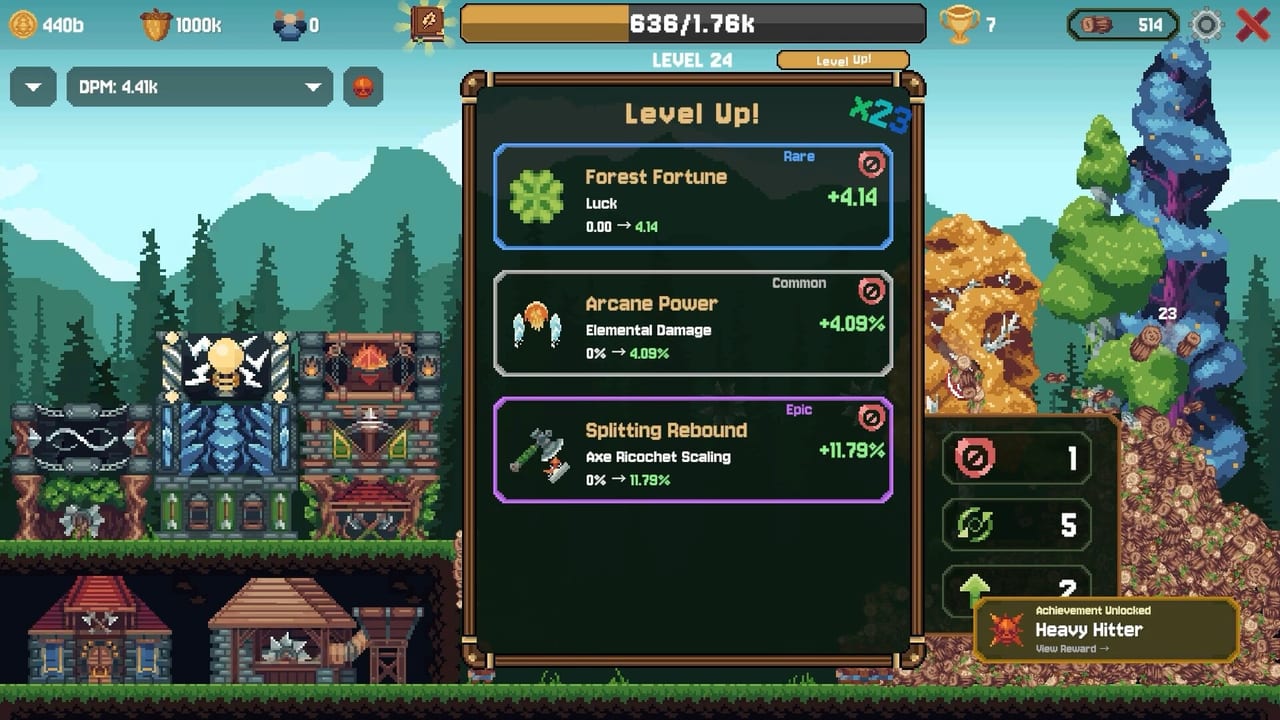
Fellwood does not need a damage simulator as much as it needs a spend order and a memory aid. The prestige shop hides tiers. The achievement list is 59 icons with names like Breaking Ground and Gilded Stockpile. This hub holds the two tools on this wiki: the Prestige Planner and the Achievements list. They are checklists, not cheats. If you want the why, the Guides Hub and Buildings Hub still do the teaching.
What we will not put in a tool
We will not ship a JavaScript DPS calculator that pretends multiplicative math still exists. We will not invent Mage XP costs. We will not scrape a live API that Allerton Apps does not offer. A tool that lies is worse than a paragraph. The planner is ordered advice from patch notes and playthroughs. The achievement page is named icons from the Steam store plus the obvious loop that unlocks them.
If a future patch publishes exact formulas, they will land on Patch Notes first, then here. Until then, treat every number on a third-party spreadsheet as suspect unless it cites the additive change, the ricochet caps, and the gold-log prestige fix.
How to use the planner
Open Prestige Planner when you are staring at the shop with points and no plan. Walk the list from economy to luck to damage colors. Cross-check How to Prestige if a node name does not match your client — translations and patches shuffle labels. If Mages just unlocked, do not rebuild the planner around them until you have a mill that can cash the new damage. Collectors and Sawmill remains the bottleneck.
How to use the achievement list
Open Achievements when you are done optimizing and you want a reason to shoot clovers or hit a stupid damage number. Steam threads already ask about 1Q dmg. We will not print an unverified threshold. We will print the named icons we can see and the gameplay verb they imply. Pair that list with Events and Active Abilities so you are not hunting wind achievements while AFK.
How this hub links the rest of the site
Getting Started is not a tool; it is a script. How to Unlock Buildings is not a tool; it is a gate map. Logs and Acorns is not a tool; it is a drop table. Use them as inputs. The Review is for the buy decision. System Requirements is for the Deck decision. Links is for the store, demo, and support email.
Sibling tools should mention each other. A prestige spend that ignores achievements is fine. An achievement hunt that ignores pull range is how you suffer. If you only open one page in this category, open the planner. If you have already beaten the shop mentally, open the icons.
Fellwood is a $6.99 incremental with a physics pile. The tools are here to save you from the two classic incremental sins: resetting too late, and chasing a badge with a starved mill.
Frequently Asked Questions
Quick answers to the questions Fellwood players ask after their first prestige.
Is there a Fellwood damage calculator here?
No. Damage is additive and patch-sensitive. Use the prestige planner and the building ranks instead of a fake spreadsheet.
What tools are on this wiki?
A prestige spend-order planner and an achievement checklist built from named Steam icons and launch-week threads.
Should I use these tools before the beginner guide?
No. Read Getting Started, then come back when you have points to spend or icons to hunt.